<?xml version="1.0" encoding="UTF-8" ?>
<feed xml:lang="ja" xmlns="http://www.w3.org/2005/Atom" xmlns:dc="http://purl.org/dc/elements/1.1/" xmlns:thr="http://purl.org/syndication/thread/1.0">
  <title type="text">---</title>
  <subtitle type="html">ブログ「ぴーしーとこうさく」の旧跡地です。
現在は新ブログ http://jisaku.no-mania.com/ に移行しています。</subtitle>
  <link rel="self" type="application/atom+xml" href="http://elecir.anime-life.com/atom"/>
  <link rel="alternate" type="text/html" href="http://elecir.anime-life.com/"/>
  <updated>2013-07-15T00:56:29+09:00</updated>
  <author><name>MEKAME</name></author>
  <generator uri="//www.ninja.co.jp/blog/" version="0.9">忍者ブログ</generator>
  <atom10:link xmlns:atom10="http://www.w3.org/2005/Atom" rel="hub" href="http://pubsubhubbub.appspot.com/" />
  <entry>
    <id>elecir.anime-life.com://entry/29</id>
    <link rel="alternate" type="text/html" href="http://elecir.anime-life.com/software/texworks-typeset" />
    <published>2015-12-15T16:03:43+09:00</published> 
    <updated>2015-12-15T16:03:43+09:00</updated> 
    <category term="ソフトウエア関連" label="ソフトウエア関連" />
    <title>TeXworks のタイプセット (コンパイル) ショートカットキー</title>
    <content mode="escaped" type="text/html" xml:lang="utf-8"> 
      <![CDATA[TeXworks のタイプセットのショートカットキーを見つけるのに少し苦労したので、ここにメモしておきます。<br />
<img src="http://www.tug.org/texworks/img/TeXworks256.png" /><br /><br /><a href="http://elecir.anime-life.com/software/texworks-typeset" target="_blank">つづきはこちら</a>]]> 
    </content>
    <author>
            <name>MEKAME</name>
        </author>
  </entry>
  <entry>
    <id>elecir.anime-life.com://entry/28</id>
    <link rel="alternate" type="text/html" href="http://elecir.anime-life.com/pc/zbook14g2-2nd_battery" />
    <published>2015-11-14T21:22:04+09:00</published> 
    <updated>2015-11-14T21:22:04+09:00</updated> 
    <category term="PC関連" label="PC関連" />
    <title>HP ZBook 14 G2 拡張バッテリ HP C006XL</title>
    <content mode="escaped" type="text/html" xml:lang="utf-8"> 
      <![CDATA[<a href="http://elecir.anime-life.com/pc/zbook14g2-2ndssd" title="" target="_blank">前回のレビュー</a>で紹介した、ZBook14G2に拡張のバッテリを付けてみました。<br />
別にバッテリの持ち時間に不満があったわけではないのですが、せっかく付けられるので付けてみたくなっただけです。<br />
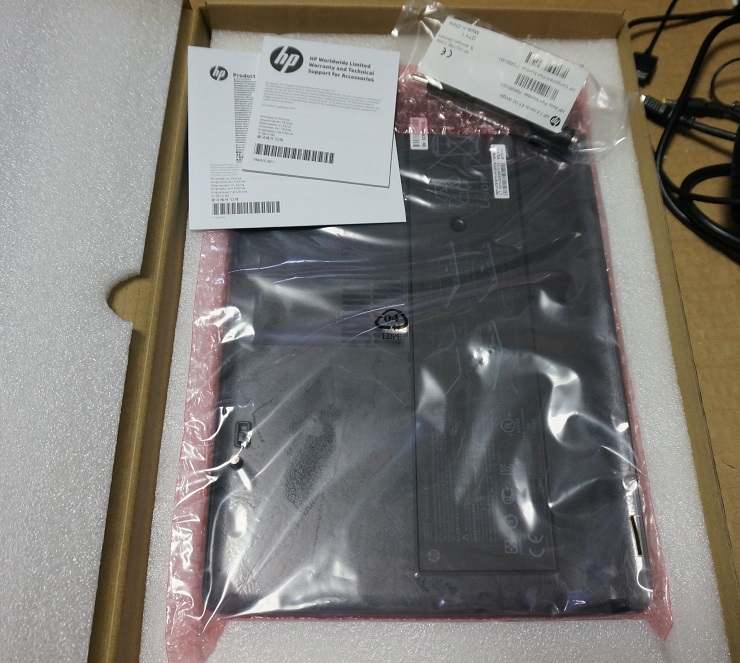
購入した拡張バッテリは6セル 60Whr (HP C006XL [E7U23AA])のものです。<br />
NTT-Xで１万円ちょいでした。<br />
<br />
届いたバッテリ<br />
<img src="//elecir.anime-life.com/File/zbook14g2-2ndbat-01.jpg" alt="" /><br /><br /><a href="http://elecir.anime-life.com/pc/zbook14g2-2nd_battery" target="_blank">つづきはこちら</a>]]> 
    </content>
    <author>
            <name>MEKAME</name>
        </author>
  </entry>
  <entry>
    <id>elecir.anime-life.com://entry/27</id>
    <link rel="alternate" type="text/html" href="http://elecir.anime-life.com/pc/zbook14g2-2ndssd" />
    <published>2015-10-12T23:54:08+09:00</published> 
    <updated>2015-10-12T23:54:08+09:00</updated> 
    <category term="PC関連" label="PC関連" />
    <title>HP ZBook 14 G2 購入 レビュー 2nd SSD 導入</title>
    <content mode="escaped" type="text/html" xml:lang="utf-8"> 
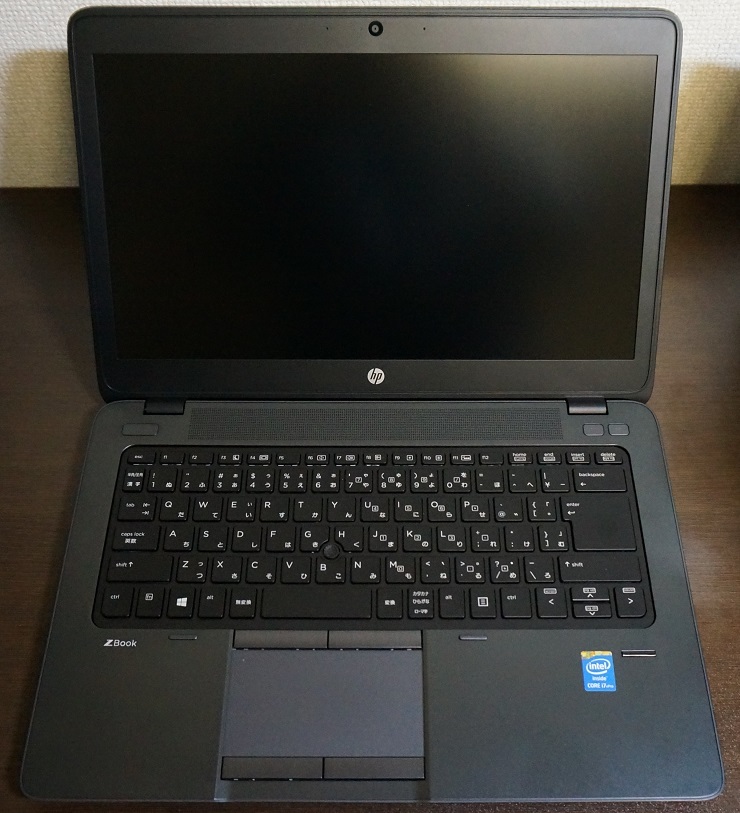
      <![CDATA[この度、ZBook 14 G2 をお迎えいたしました！<br />
モバイルワークステーションなのにウルトラブックの規格を満たしている変態機種で、公式ページには世界初と書いてありました。<br />
<img src="//elecir.anime-life.com/File/zbook14g2-01.jpg" alt="" /><br /><br /><a href="http://elecir.anime-life.com/pc/zbook14g2-2ndssd" target="_blank">つづきはこちら</a>]]> 
    </content>
    <author>
            <name>MEKAME</name>
        </author>
  </entry>
  <entry>
    <id>elecir.anime-life.com://entry/26</id>
    <link rel="alternate" type="text/html" href="http://elecir.anime-life.com/pc/gtx960-reference" />
    <published>2015-09-09T00:13:32+09:00</published> 
    <updated>2015-09-09T00:13:32+09:00</updated> 
    <category term="PC関連" label="PC関連" />
    <title>GTX 960 リファレンス クーラー モデル 簡単に分解</title>
    <content mode="escaped" type="text/html" xml:lang="utf-8"> 
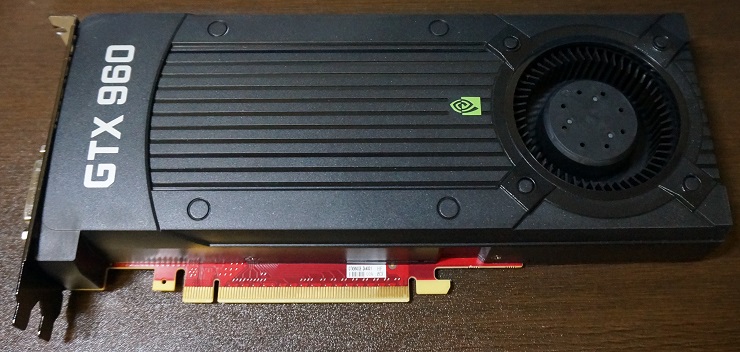
      <![CDATA[グラボを更新しました。<br />
今までGTX760を使っていたのですが、4Kディスプレイを２枚使うために、DP1.2以上が２つ以上ついている、またゲームはほとんどしないので、今回GTX960を選択しました。<br />
また、個人的にリファレンスのファンが一番かっこいいと思うのですが、ほとんど市販されておらず、今回、ヤフオクでちょうど出品されていたものを買いました。<br />
<img src="//elecir.anime-life.com/File/gtx960_01.jpg" alt="" /><br /><br /><a href="http://elecir.anime-life.com/pc/gtx960-reference" target="_blank">つづきはこちら</a>]]> 
    </content>
    <author>
            <name>MEKAME</name>
        </author>
  </entry>
  <entry>
    <id>elecir.anime-life.com://entry/25</id>
    <link rel="alternate" type="text/html" href="http://elecir.anime-life.com/pc/hp_8740w" />
    <published>2015-08-17T01:02:12+09:00</published> 
    <updated>2015-08-17T01:02:12+09:00</updated> 
    <category term="PC関連" label="PC関連" />
    <title>HP モバイルワークステーション 8740w 分解</title>
    <content mode="escaped" type="text/html" xml:lang="utf-8"> 
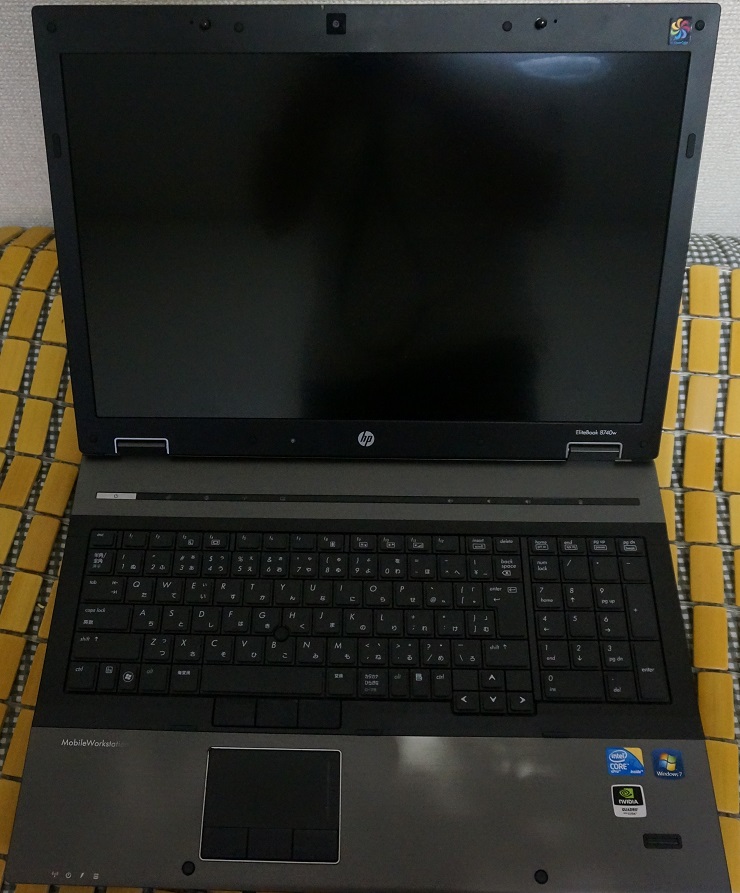
      <![CDATA[<p>HPのモバイルワークステーション 8740wの紹介と分解記事です。<br />
分解といっても簡単な部分だけですが...<br />
分解についての詳細は<a href="http://h20628.www2.hp.com/km-ext/kmcsdirect/emr_na-c02749041-1.pdf" title="" target="_blank">公式が出しているPDF</a>を参照してください。<br />
※いつものことですが、分解は自己責任でお願いします。<br />
<img src="//elecir.anime-life.com/File/mws_8740w_01.jpg" alt="" /></p><br /><br /><a href="http://elecir.anime-life.com/pc/hp_8740w" target="_blank">つづきはこちら</a>]]> 
    </content>
    <author>
            <name>MEKAME</name>
        </author>
  </entry>
  <entry>
    <id>elecir.anime-life.com://entry/24</id>
    <link rel="alternate" type="text/html" href="http://elecir.anime-life.com/railway/sl_minakami" />
    <published>2015-08-16T19:40:26+09:00</published> 
    <updated>2015-08-16T19:40:26+09:00</updated> 
    <category term="鉄道関連" label="鉄道関連" />
    <title>SLみなかみ乗ってきました</title>
    <content mode="escaped" type="text/html" xml:lang="utf-8"> 
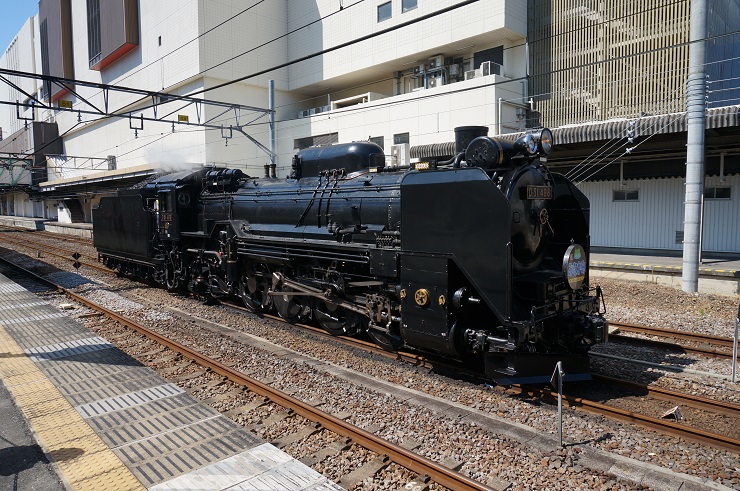
      <![CDATA[夏休みを利用して「SLみなかみ」に乗ってきました。<br />
区間は高崎から水上です。<br />
蒸気機関車はD51とC61があるみたいですが、この日はD51でした。<br />
高崎駅に着くと、12系客車とD51が別々の線路に停まっていました。<br />
<img src="//elecir.anime-life.com/File/SL_minakami_02.jpg" alt="" /><br /><br /><a href="http://elecir.anime-life.com/railway/sl_minakami" target="_blank">つづきはこちら</a>]]> 
    </content>
    <author>
            <name>MEKAME</name>
        </author>
  </entry>
  <entry>
    <id>elecir.anime-life.com://entry/23</id>
    <link rel="alternate" type="text/html" href="http://elecir.anime-life.com/pc/hp_probook_4320s" />
    <published>2015-07-04T02:00:51+09:00</published> 
    <updated>2015-07-04T02:00:51+09:00</updated> 
    <category term="PC関連" label="PC関連" />
    <title>HP ProBook 4320s 分解 メモリ HDD 増設 交換</title>
    <content mode="escaped" type="text/html" xml:lang="utf-8"> 
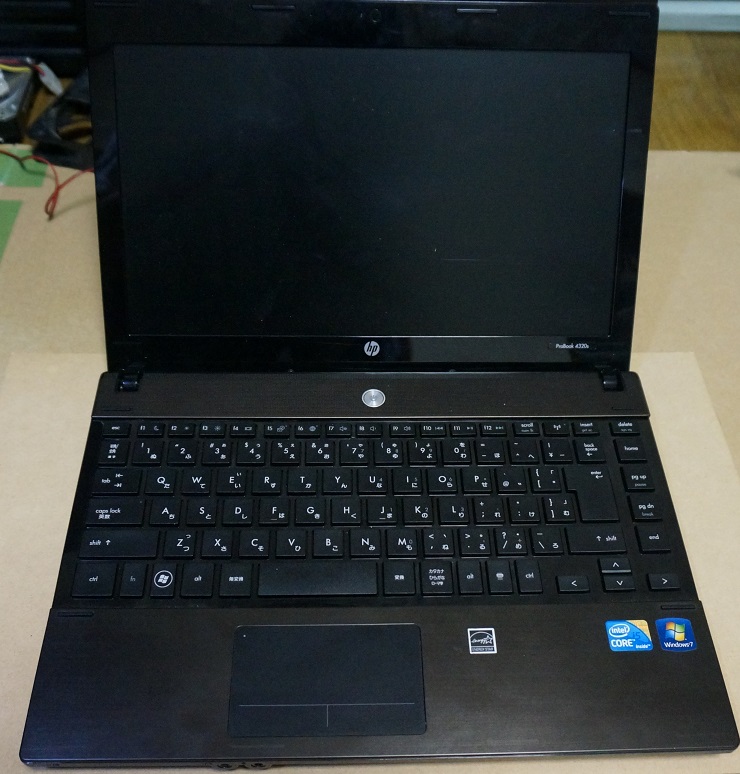
      <![CDATA[HP ProBook 4320s の分解記事です。<br />
正直、このProBookシーリズの分解記事はそこら中にあふれているし、もう何番、何十番煎じ状態ですけどせっかくなので書いていきます。まあでもそんな状態なので今回は自分のメモ程度にします。<br />
<img src="//elecir.anime-life.com/File/hp-probook-4320s-01.jpg" alt="" /><br /><br /><a href="http://elecir.anime-life.com/pc/hp_probook_4320s" target="_blank">つづきはこちら</a>]]> 
    </content>
    <author>
            <name>MEKAME</name>
        </author>
  </entry>
  <entry>
    <id>elecir.anime-life.com://entry/22</id>
    <link rel="alternate" type="text/html" href="http://elecir.anime-life.com/pc/readynas_316_ex_hdd" />
    <published>2015-06-23T12:49:58+09:00</published> 
    <updated>2015-06-23T12:49:58+09:00</updated> 
    <category term="PC関連" label="PC関連" />
    <title>NETGEAR ReadyNAS 316 外部ストレージに書き込めなくなる現象の解消法</title>
    <content mode="escaped" type="text/html" xml:lang="utf-8"> 
      <![CDATA[ある日、部活で使っている ReadyNAS 316のHDDに書き込みができなくなったと連絡が。<br />
何があったのか聞いたところ、誰かがReadyNASが起動している状態でコンセントを間違って抜いたと....(笑えない)<br />
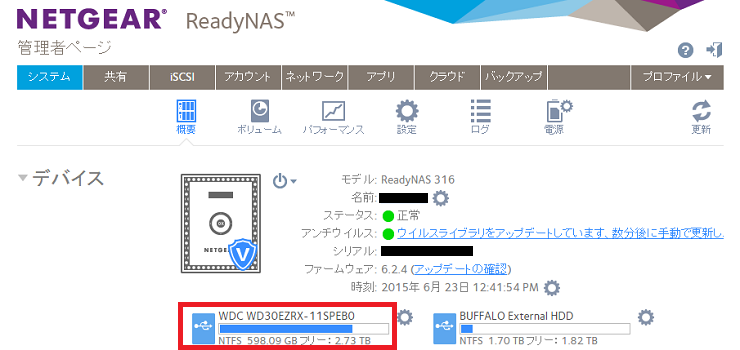
状況として、windows上でネットワークドライブに設定したそのドライブだけ「新規作成(x)」が出てきません。<br />
ネットワークの一覧から選択すると「新規作成(x)」は出てきたのですが、エラーが出て何故か書き込めない。<br />
<br />
とりあえず、まずは再起動を試してみましたがダメでした。<br />
また、ReadyNAS316上の管理者ページでも、いろいろ試してみましたが、全てダメでした。<br />
<br />
問題の発生したWDの外付けHDD<br />
<img src="//elecir.anime-life.com/File/readynas316-exhdd-01.png" alt="" /><br />
<br />
<br /><br /><a href="http://elecir.anime-life.com/pc/readynas_316_ex_hdd" target="_blank">つづきはこちら</a>]]> 
    </content>
    <author>
            <name>MEKAME</name>
        </author>
  </entry>
  <entry>
    <id>elecir.anime-life.com://entry/21</id>
    <link rel="alternate" type="text/html" href="http://elecir.anime-life.com/pc/sony_selp1650_analysis" />
    <published>2015-06-20T17:53:08+09:00</published> 
    <updated>2015-06-20T17:53:08+09:00</updated> 
    <category term="PC関連" label="PC関連" />
    <title>SELP1650 分解 SONY E-mountレンズ</title>
    <content mode="escaped" type="text/html" xml:lang="utf-8"> 
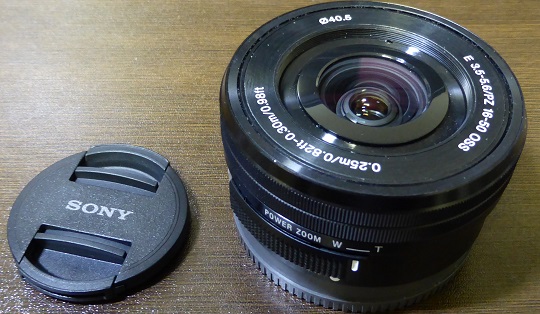
      <![CDATA[今回はSONYのE-mountレンズ SELP1650の分解記事です。<br />
実はこの前、壊れた(カメラから認識しなくなった)SELP1650を安く譲ってもらい、自分で直しました。<br />
その時、どこを探してもweb上にこのレンズの分解記事が見つからなかったので、自分が分解した時の写真をここに載せておきます。<br />
<img src="//elecir.anime-life.com/File/SELP1650-00.jpg" alt="" /><br /><br /><a href="http://elecir.anime-life.com/pc/sony_selp1650_analysis" target="_blank">つづきはこちら</a>]]> 
    </content>
    <author>
            <name>MEKAME</name>
        </author>
  </entry>
  <entry>
    <id>elecir.anime-life.com://entry/20</id>
    <link rel="alternate" type="text/html" href="http://elecir.anime-life.com/pc/mac-pro-2013-keyboard" />
    <published>2015-01-07T23:48:17+09:00</published> 
    <updated>2015-01-07T23:48:17+09:00</updated> 
    <category term="PC関連" label="PC関連" />
    <title>Mac Pro 2013でUSBキーボードが動かなくなる現象の解決策</title>
    <content mode="escaped" type="text/html" xml:lang="utf-8"> 
      <![CDATA[とあるMac Pro 2013においてキーボードが時々使えなくなるという現象が起こりました。<br />
キーボードはMac純正のUSB接続のもので、そのキーボードを他のPCにつなぐと普通に動くため、キーボードの故障ではありません。<br />
今回はそのような場合の解決策の紹介です。<br />
<img src="//elecir.anime-life.com/File/macpro-01.png" alt="" /><br /><br /><a href="http://elecir.anime-life.com/pc/mac-pro-2013-keyboard" target="_blank">つづきはこちら</a>]]> 
    </content>
    <author>
            <name>MEKAME</name>
        </author>
  </entry>
</feed>